

SX Mini Vi class 60w Aio Kit
SX Mini Vi class 60w Aio Kit
Low stock: 6 left
Couldn't load pickup availability
What Can We Expect From the SX Mini Vi Class Pod Kit?
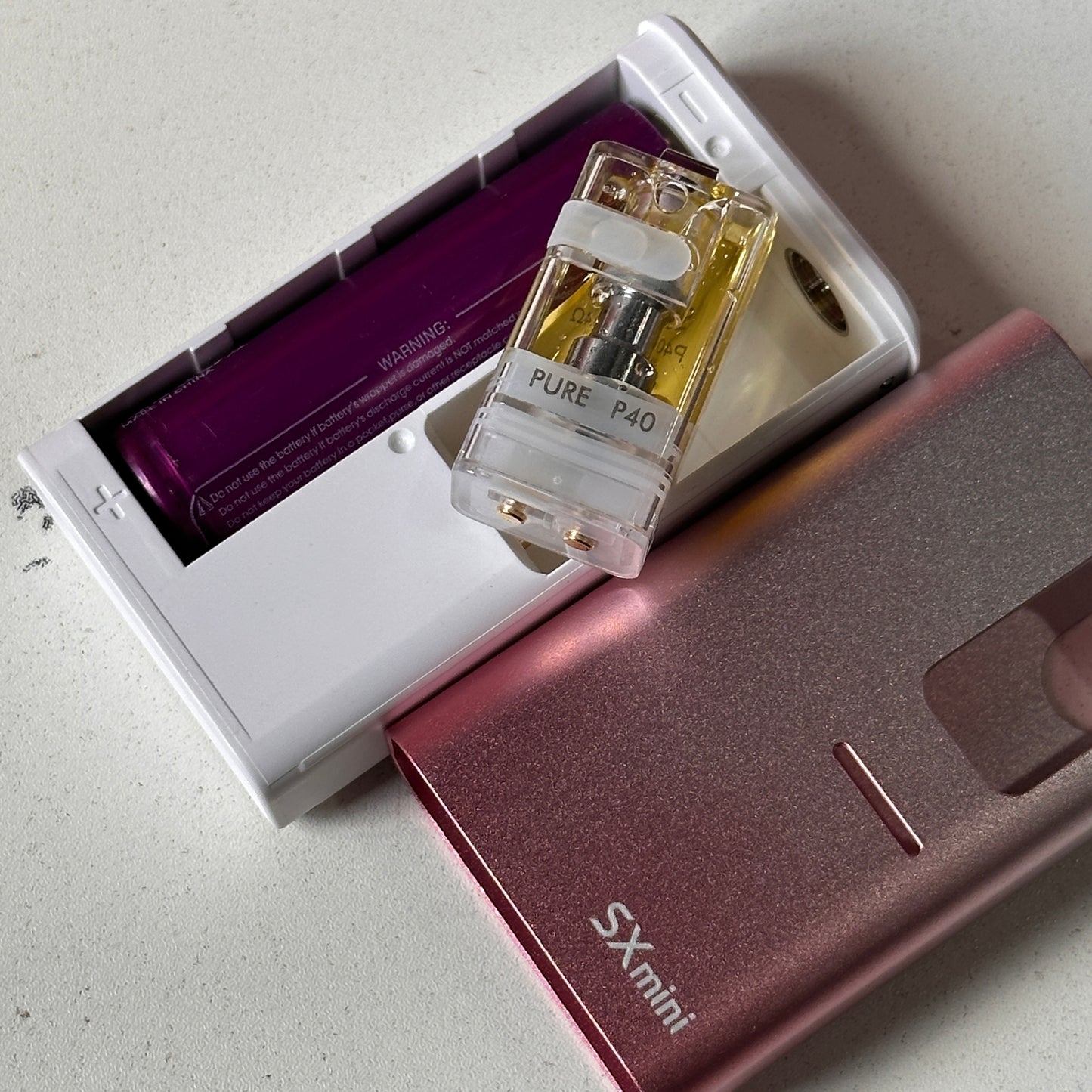
The Vi Class uses a single 18650 battery and utilises the latest SX505J Yihi chipset. It very much takes on the style of a Billet Box device. Instead of a shorter Boro tank we get a cartridge (or pod) with a non-replaceable 0.4ohm sealed mesh coil.
But that’s just the start of the story.
Not only are there proprietary pods, the kit is compatible with tanks such as the BP Mods TMD Dot, Veepon Tita RBA and Yachtvape Pandora DOT RBA.
How cool is that?
It’s all made possible with an adaptor kit (sold separately). It literally bridges the gap in height with those tanks and uses a plate for connection with the battery section.
The SX Mini Vi Class is available in 8 colour schemes. Pick from Pink Pearl White, Fire Yellow White, Blue Pearl White, Blue White, Purple Coral White, Red White, Aqua Yellow White or Black White.
Kit Contents
The device sits comfortably on a foam cut out inside the slip case. The accessories are packed beneath a cardboard tray.
- Vi Class Device
- Cartridge / Pod (0.4ohm fixed mesh coil)
- 1 x MTL mouthpiece 1 x DTL mouthpiece
- Type C USB charging cable
- User manual
- Warranty card
SX Mini Vi Class Pod Kit Specifications
Mod
- Dimensions: 82.2 x 48 x 22mm
- Weight: 62.2g
- Material: Aluminium Alloy, plastic
- Chip: Yihi SX505J
- User modes: VW, TC, Pure, Curve
- Wattage: 1-60W
- Voltage: 0-8V
- Resistance range: 0.15 – 3.0ohm
- Max charge: 5V/1A
- Battery: Single 18650 (not included)
- Charging: Type C USB
- Replaceable outer sleeve
Cartridge
- Dimensions: 36 x 20mm
- Material: PCTG
- Capacity: 4ml
- Sealed coil: P40 0.4ohm SS316L mesh
- Drip tip: Mouth to lung and Direct lung types included
- Filling: Side fill
- Adjustable airflow slider on pod base
How To Operate the Vi Class Pod Kit
NB: The device does not automatically switch on once a battery is installed.
The adjustment buttons are located on the inner section with the outer shell removed.
- Press the fire button five times to turn the device on
- Press the fire button three times to lock or unlock the device
- While the device is on, press the fire button five times to enter mode select screen
- Use the adjustment buttons to select ‘mode’ and press the fire button once
- Choose between Watts and Pure mode by pressing the fire button once
In variable wattage mode use the adjustment buttons to increase or decrease power. Holding the button down will speed up the process. Once the maximum of 60W is reached the device reads ‘Max Output’.
While in wattage mode, pressing the fire button rapidly five times will bring up other options. You’re now able to access temperature controlmode (between C or F) as well as returning to Pure mode.
Share